IBM Bob Enterprise subscriptions - Where do I even start?
IBM Bob is probably the hottest piece of software and service right now in the IBM universe. So maybe your company already subscribed to an IBM Bob Enterprise plan.
But where to you start with it? Let’s get our feet wet …
Configuring your IBM SaaS Instance
When you recieve your subscription details, you have to create an IBM Cloud SaaS Instance for your new Bob subscription.
-
Go to: https://ibm-cloud.console.saas.ibm.com
-
Log in with the IBM ID that has received the subscription details
-
Create a SaaS instance and add the subscription to it
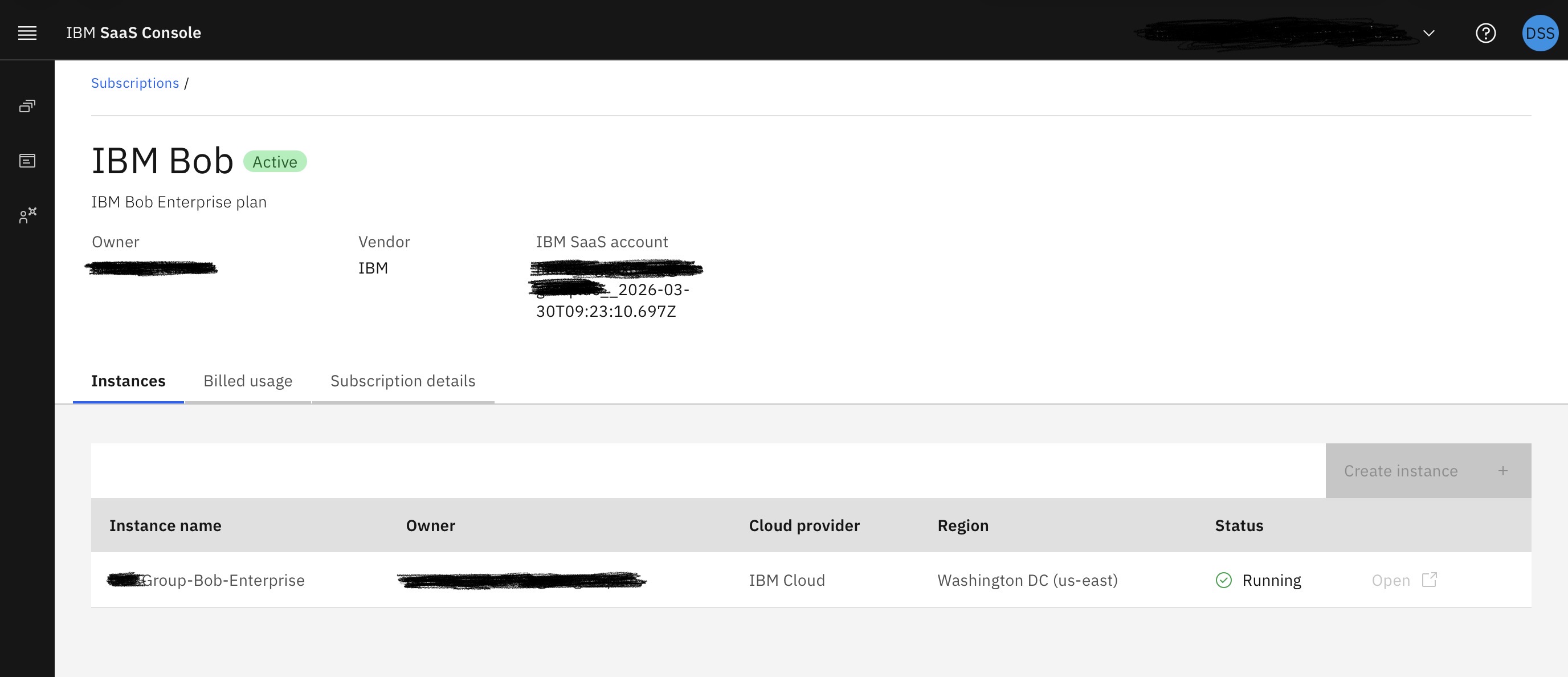
You don’t have to add users or admins here - but you can. But these users/admins have nothing to do with IBM Bob - they only have usage/management rights for your SaaS instance.
Configuring your Bob users
Now we have to configure our Bob users and teams.
Also this step has to be done with the primary IBM ID that has recieved the subscription details and has set up the SaaS instance.
-
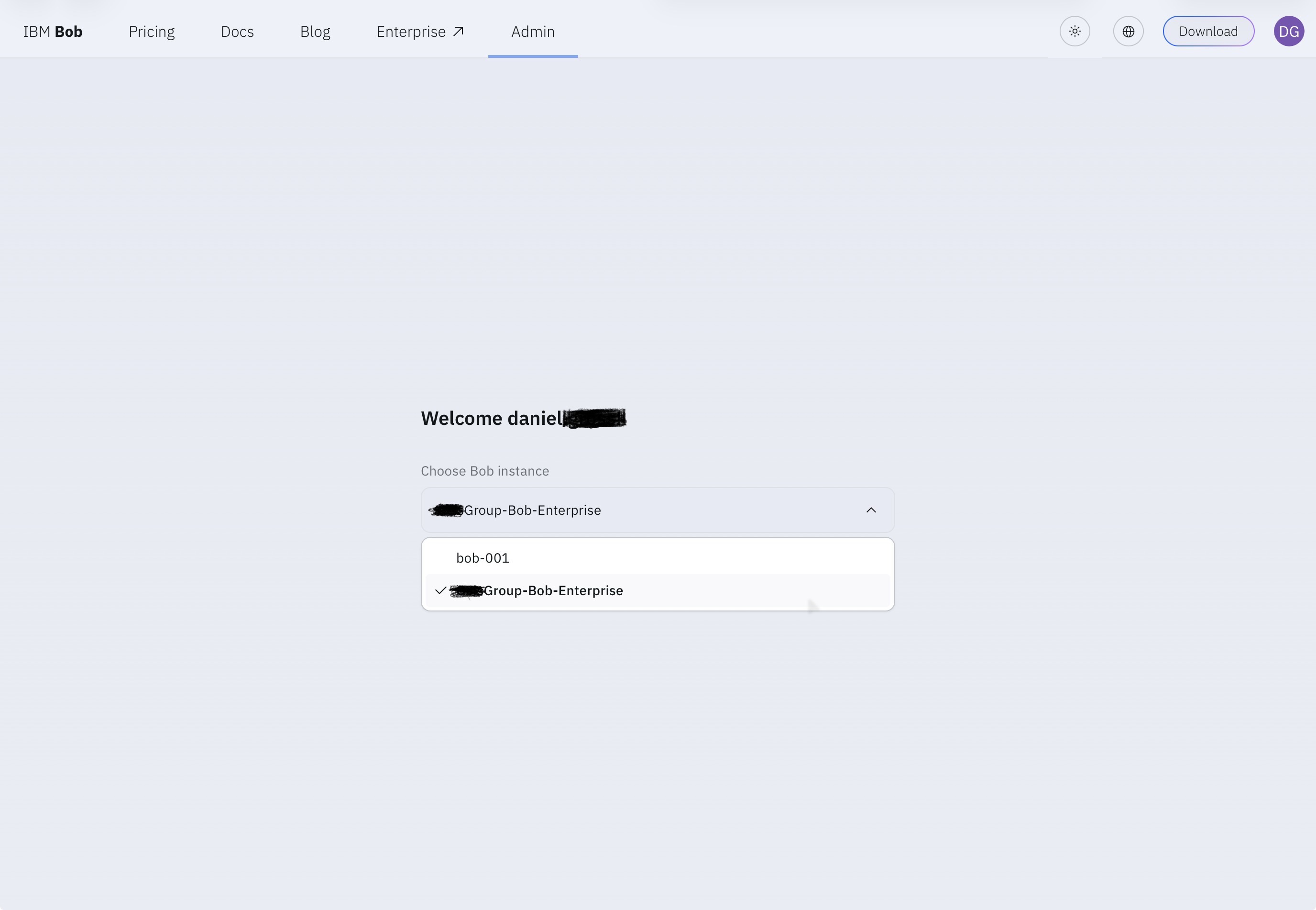
Start here: https://bob.ibm.com/admin/
-
Select your newly created instance and continue:
-
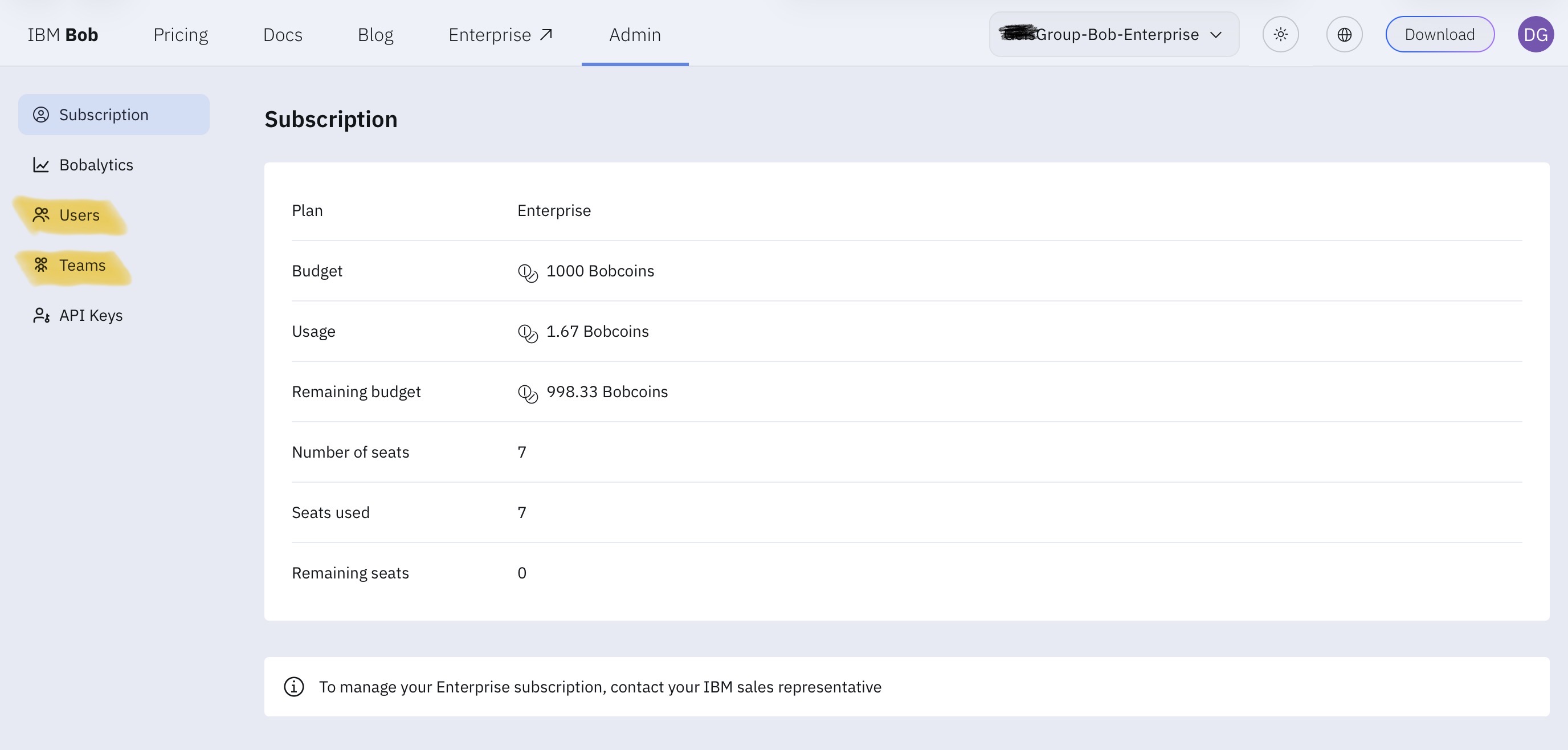
In the next steps, create your users (using their IBM IDs) and your team(s):
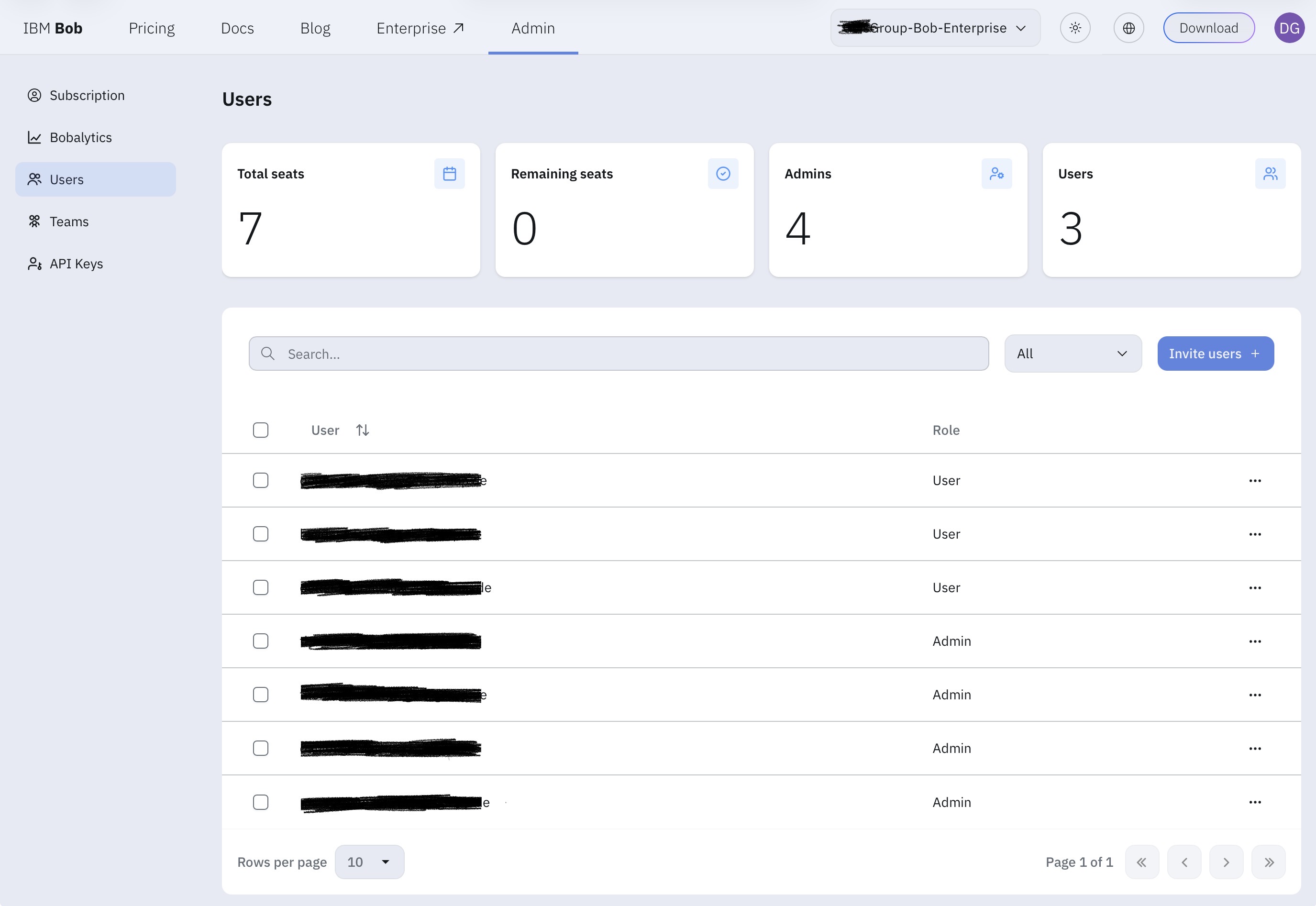
On the users page, you can give some IBM IDs admin rights, so they can manage the team, users, spending limits, etc. I really recommend to have at least 2 users with admin rights.
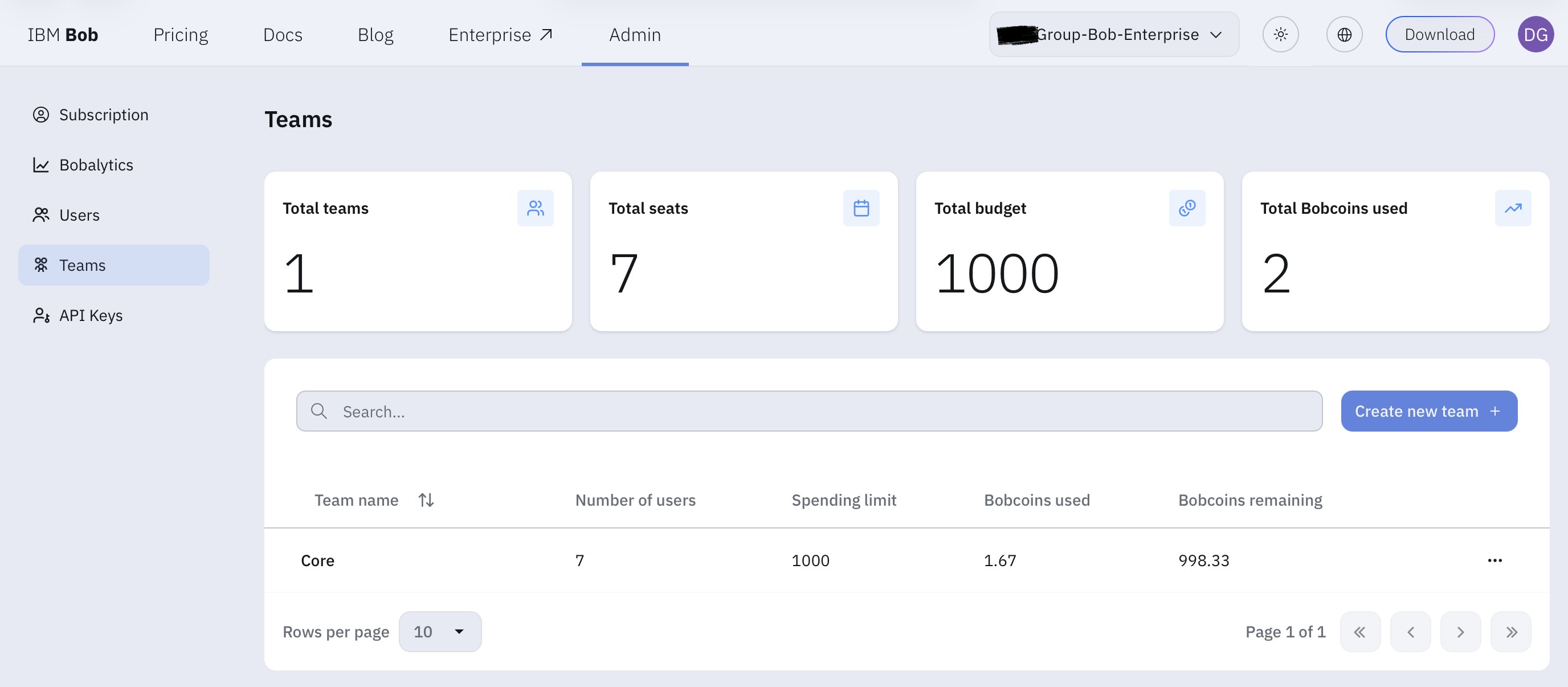
At the team page you can not only manage, how the spending limit should be per team, but also for each individual team member.
Use your Enterprise subscription in the Bob IDE
This last step is for each user. Most probably the users already participated in the free IBM Bob Trial. And this means, that their IBM ID already has a SaaS instance and a Team associated. So each user might have to switch the team, to use the Enterprise subscription.
-
After logging in click on the small gear to open the Bob Settings:
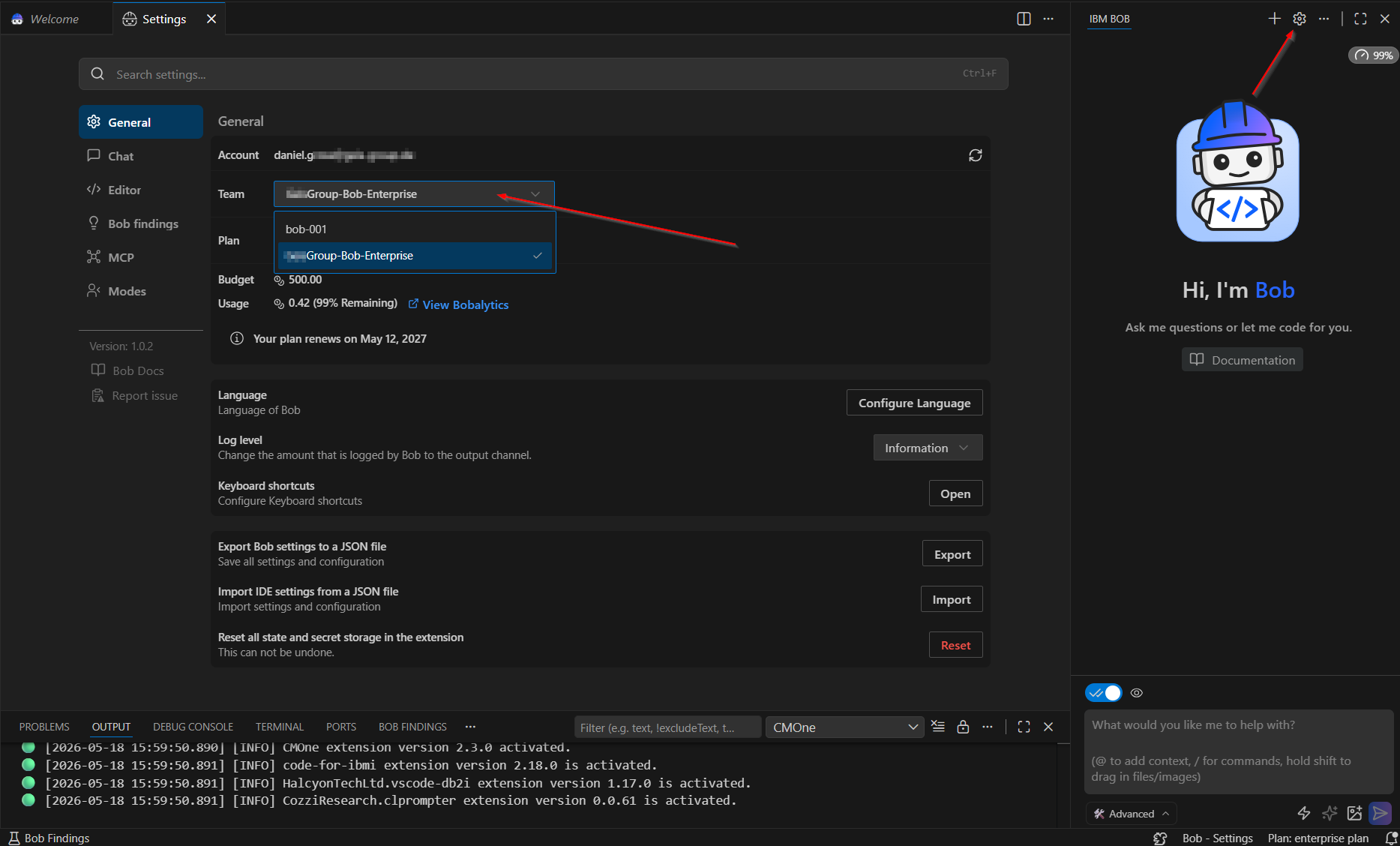
Now you should be able to use the Enterprise subscription that are associated to your IBM ID.
Finally
As our team had a bit of a hard time to get this all going, I hope this helps others to get their Enterprise subscriptions going.
Also when you participated in the free IBM Bob Trial and make a individual subscription later, you might have to switch the “Team” in the Bob IDE, as your paid subscription and the free trial may use different “Teams”.